When browsing the internet, it’s essential to keep your identity and personal information safe. We may be familiar with various data theft.,but did you know that the internet is full of professional hackers? That’s why you need to protect your data and online activities. One way to do that is by hiding your IP address. If you are wondering how to hide your IP address, we’ve got you covered. This blog post will discuss some of the best ways to do that. We’ll also talk about why hiding your IP address is essential and how it can benefit you.
Use a Reliable VPN
 One of the best ways to hide your IP address is using a reliable VPN service. A VPN encrypts your data and routes it through a secure server. It prevents hackers from accessing your information or tracking your activities. It also allows you to access blocked websites and content. There are many VPN services available on the market. However, not all of them are reliable. That’s why it’s essential to do your research and choose a VPN service that meets your needs.
Generate an IP Hiding Tool
Another way to hide your IP address is by using a tool that generates fake IP addresses. This tool allows you to browse the internet anonymously and protect your identity. There are many different tools available, and each one has its advantages and disadvantages. It’s essential to choose a device that meets your needs and provides the level of protection you require. An IP hiding tool is a great way to keep your data safe and protect your privacy.
Surf the Web Anonymously
Another way to protect your identity and personal information is by surfing the web anonymously. It means that you’re not tracked or monitored while you’re browsing the internet. There are many different ways to surf the web anonymously, and each one has its advantages and disadvantages. It’s essential to choose a method that meets your needs and provides the level of protection you require. Surfing the web as an anonymous is a great way to keep your data safe and protect your privacy.
Change Your IP Address Regularly
 One of the best ways to keep your data safe is by changing your IP address regularly. It prevents hackers from tracking you and accessing your information. It also allows you to access blocked websites and content. There are many different ways to change your IP address, and each one has its advantages and disadvantages. It’s essential to choose a method that meets your needs and provides the level of protection you require. Changing your IP address more often is a great way to keep your data safe and protect your privacy.
In summary, there are many different ways to hide your IP address. Each method has its advantages and disadvantages. It’s essential to choose a strategy that meets your needs and provides the level of protection you require. Hiding your IP address is necessary to keep your data safe and protect your privacy. Thank you for reading!
 Accounting software is an essential tool for businesses of all sizes, from small startups to large corporations. With the right accounting software, companies can easily manage their financial records and transactions. One of the primary benefits of using accounting software is its ability to simplify bookkeeping tasks. Rather than manually entering data into ledgers or spreadsheets, businesses can rely on automated processes that save time and reduce errors. Another advantage of accounting software is its ability to generate detailed reports quickly. Business owners can use these reports to analyze their finances, identify trends, and make informed decisions about future investments or expenditures.
 Communication is vital for any business to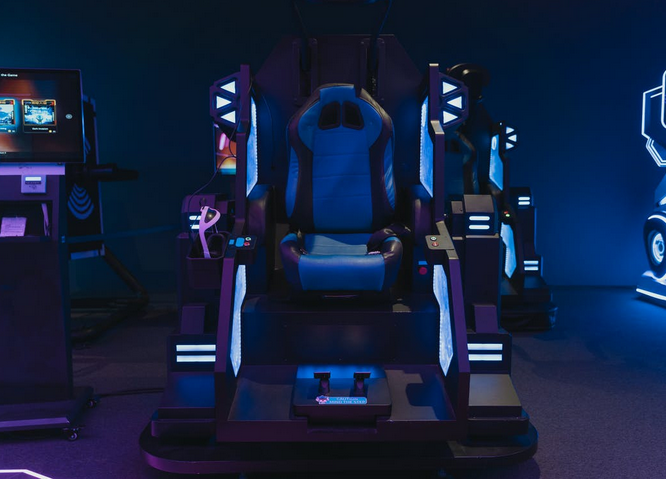
 One of the essential features of a gaming chair is good ergonomics. This means that the chair should be adjustable so that you can adjust it to fit your body perfectly. If the chair isn’t adjustable, you may find it uncomfortable to sit in for long periods. Additionally, the chair should have a lumbar support system to help support your back. It will help keep you comfortable while you are playing your games.
 Another vital thing to look for when shopping for a
  When shopping for a gaming chair, you will also want to look for one that has good padding and fabric. This will help make the chair more comfortable to sit in. The material should also be breathable to avoid getting too hot while sitting in it. In addition, you will want to make sure that the chair has a good amount of padding. This will help keep you comfortable while you are gaming.